Developers, students and solo founders
Build an AI team with no subscription or with several
Bring the AIs you have and the ones you can use for free, and make them work as one team. Everything except enterprise features is free for individuals.
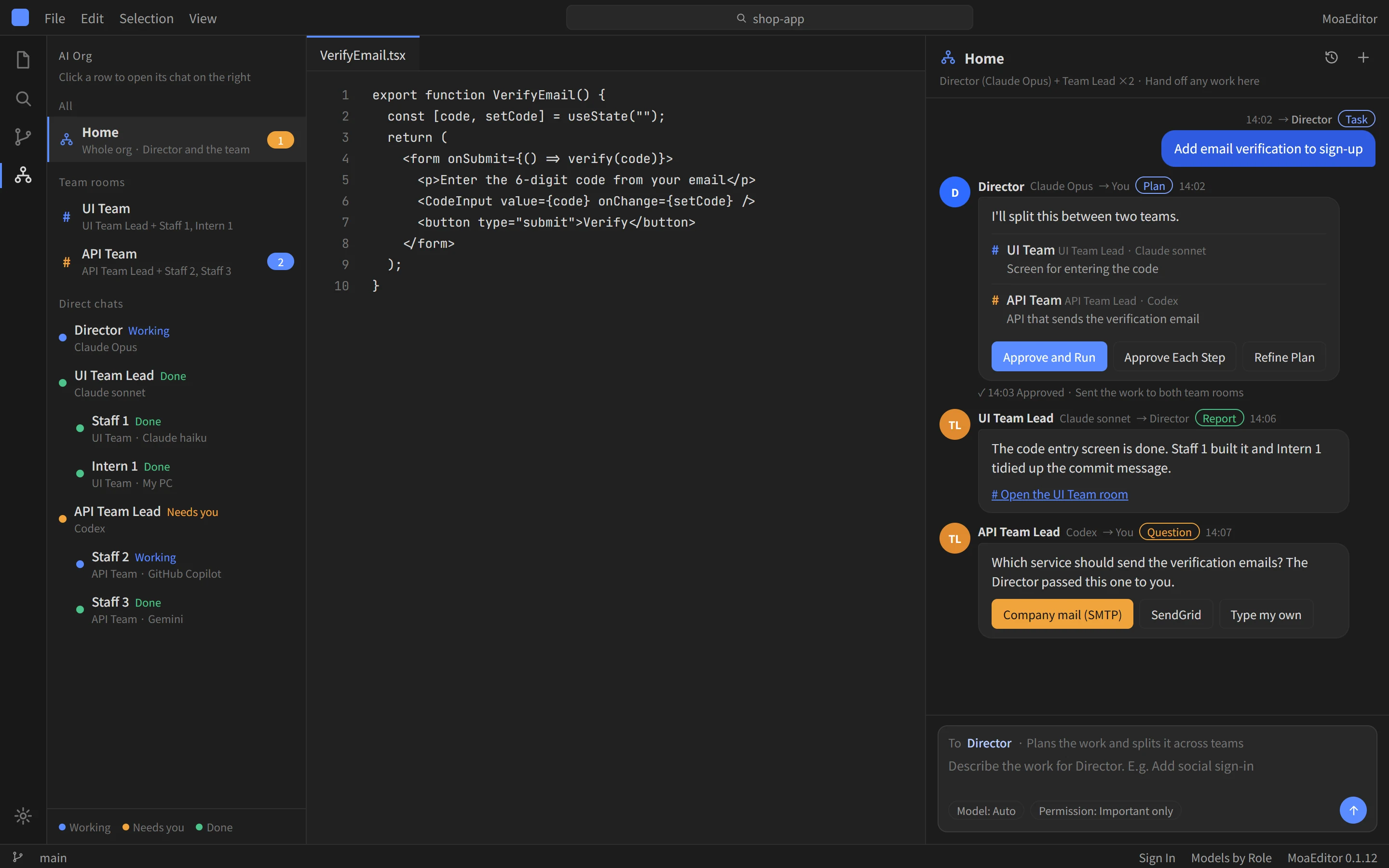
A team that fits what you have
MoaEditor looks at what you connected and proposes a team. Strong models plan and review on top; free and local models implement, test and summarize below.
No subscriptionExample
Extra cost: $0
- Director
- Cursor free plan
- Lead
- GitHub Copilot free plan
- Staff
- Groq, OpenRouter free models
- Intern
- Local model
Students and first-timers. Click “Connect free AIs” once.
One subscriptionExample
Your one plan + $0
- Director
- Claude Code
- Lead
- GitHub Copilot free
- Staff
- Groq, OpenRouter free
- Intern
- Local model
Your paid plan only plans and reviews; free AIs share the rest.
Several subscriptionsExample
The plans you already have
- Director
- Claude Code
- Lead
- Codex, Copilot
- Staff
- Gemini, Groq, Mistral
- Intern
- Local model
Idle subscriptions get work too, and when one hits its limit another takes over.
Free AIs you can bring
“Connect free AIs” in setup connects the ones below that this PC can use, one after another. One account per service, so when one hits its limit another takes over.
- GitHub CopilotAccountFree plan
- CursorAccountHobby free plan
- Gemini APIAPI keyFree tier for Flash models
- GroqAPI keyFree tier (per-minute and daily limits)
- OpenRouterAPI keyFree :free models
- NVIDIA NIMAPI keyFree for development and testing
- Local modelYour PCRuns with Ollama and others, no quota
- Helper AIMoaEditor2,000 checks a day when signed in
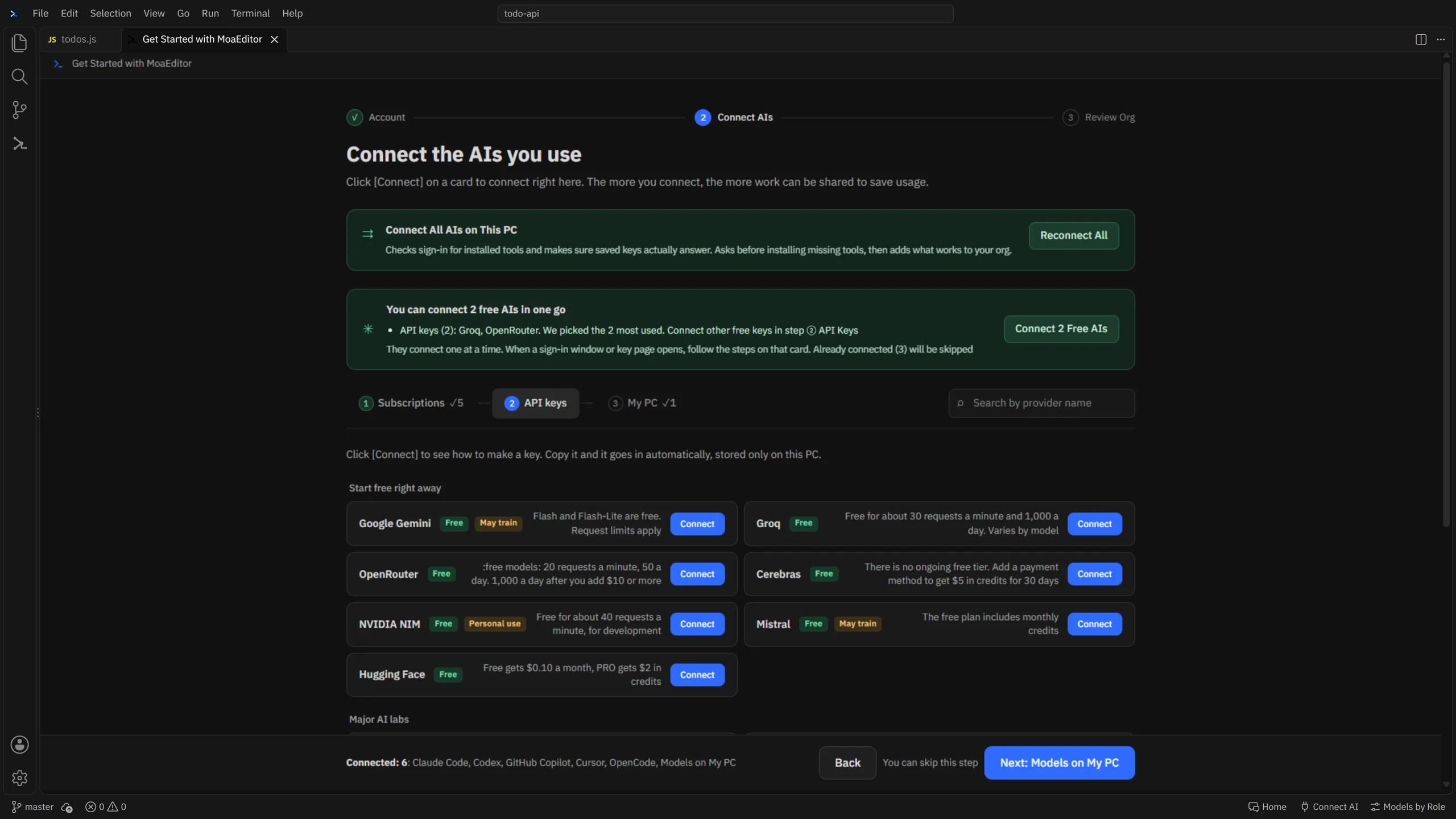
Free tiers and free plans are used with your own account, within each provider’s terms and limits, which they may change.
Setup takes three steps
The first time you open MoaEditor it walks you through these. Mostly, you just pick and click.
Sign in
Google or GitHub. Not at your PC? Finish on another device with a link and a code.
Connect your AIs
Press [Connect] on a card and it connects right there: official install and sign-in for subscriptions, key pickup for APIs, background download for local models. Connect all goes through this PC’s AIs one after another.
Review the team
Describe what you’re building and AI drafts the team as a table. Press [Start], and change names, teams, ranks and models anytime.
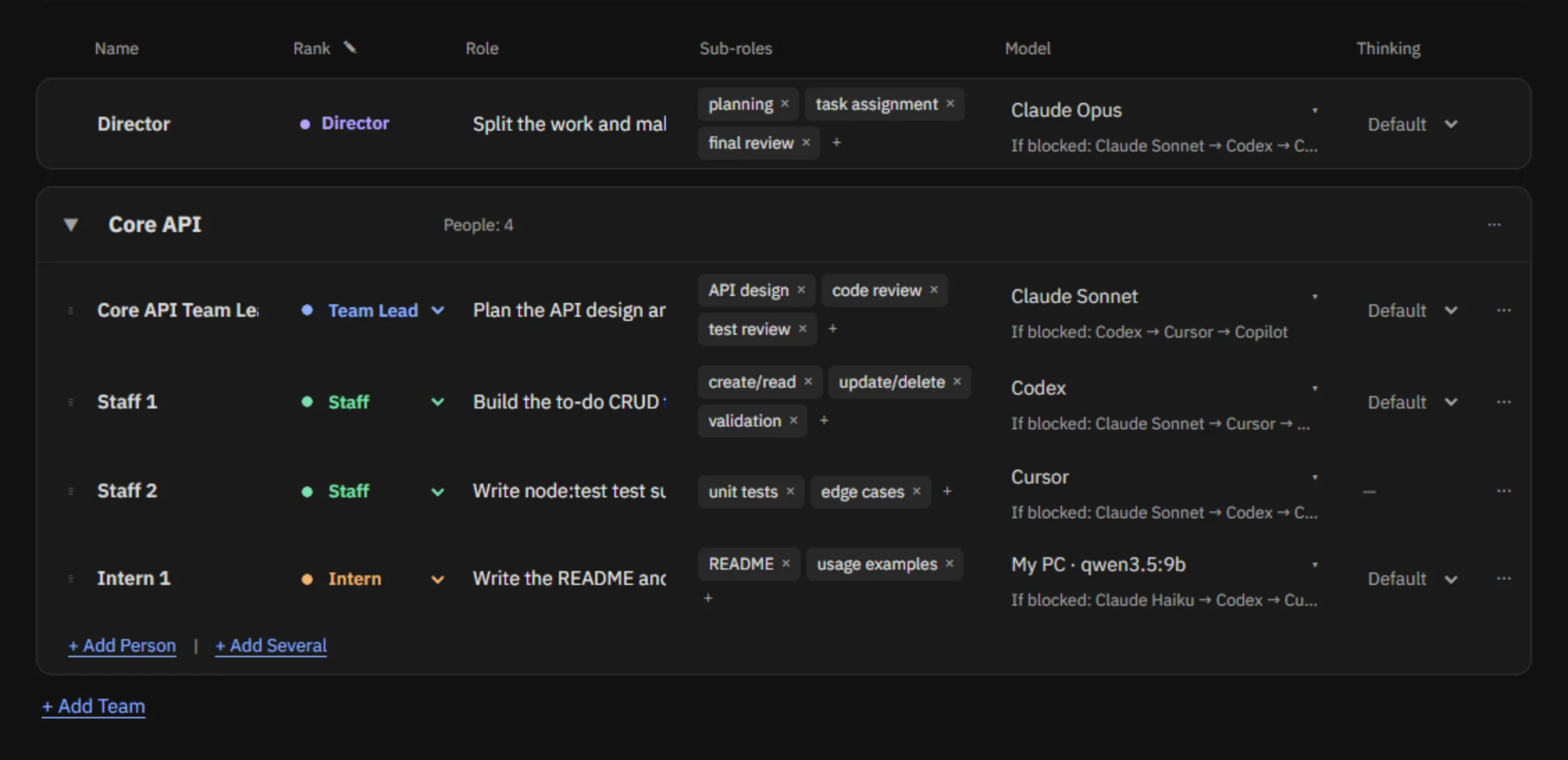
When an AI hits its limit, the next one takes over
Automatic takeover
When an AI hits its limit, the next one in line takes over and you get a one-line note.
Early warning at 80%
You hear about it before you run out. Change the threshold anytime.
The director stays strong
The director and leads never drop to weak models.
Choose if all are blocked
Resume when limits reset, continue on a local model, or add a free AI.
What it costs
- MoaEditor
- Free for individuals and students (except enterprise features). Sign-in with Google or GitHub required.
- AI subscriptions and APIs
- Paid directly to each provider. MoaEditor never resells usage.
- Local models
- No fee. Only your PC’s resources.
- Pro plan
- Coming later. Price and features will be announced at launch.
FAQ
Do I need any paid subscription?
No. Start with free accounts, free-tier APIs and local models. The director, who plans, does best with a strong model.
Does my code go to MoaEditor’s servers?
No. Code only goes to the AI services you connect. The helper AI receives only short text such as a one-line report or a command, never code files or keys.
What if an AI deletes files or deploys?
Deletes, deploys, pushes and installs that MoaEditor runs always ask first. In a git repo, every run is saved first and undone in one click.
Can I use VS Code extensions?
Extensions on Open VSX install as usual. Microsoft-only extensions (C/C++, Pylance, Remote-SSH) can’t be used for license reasons; we suggest alternatives.
Is there a Mac or Linux version?
Only Windows 10 and 11 (64-bit) for now. macOS and Linux are in the works.
Build a team from the AIs you already use
For Windows 10 and 11. Free for individuals.